How to collect invoices from email and match them to your credit card statement
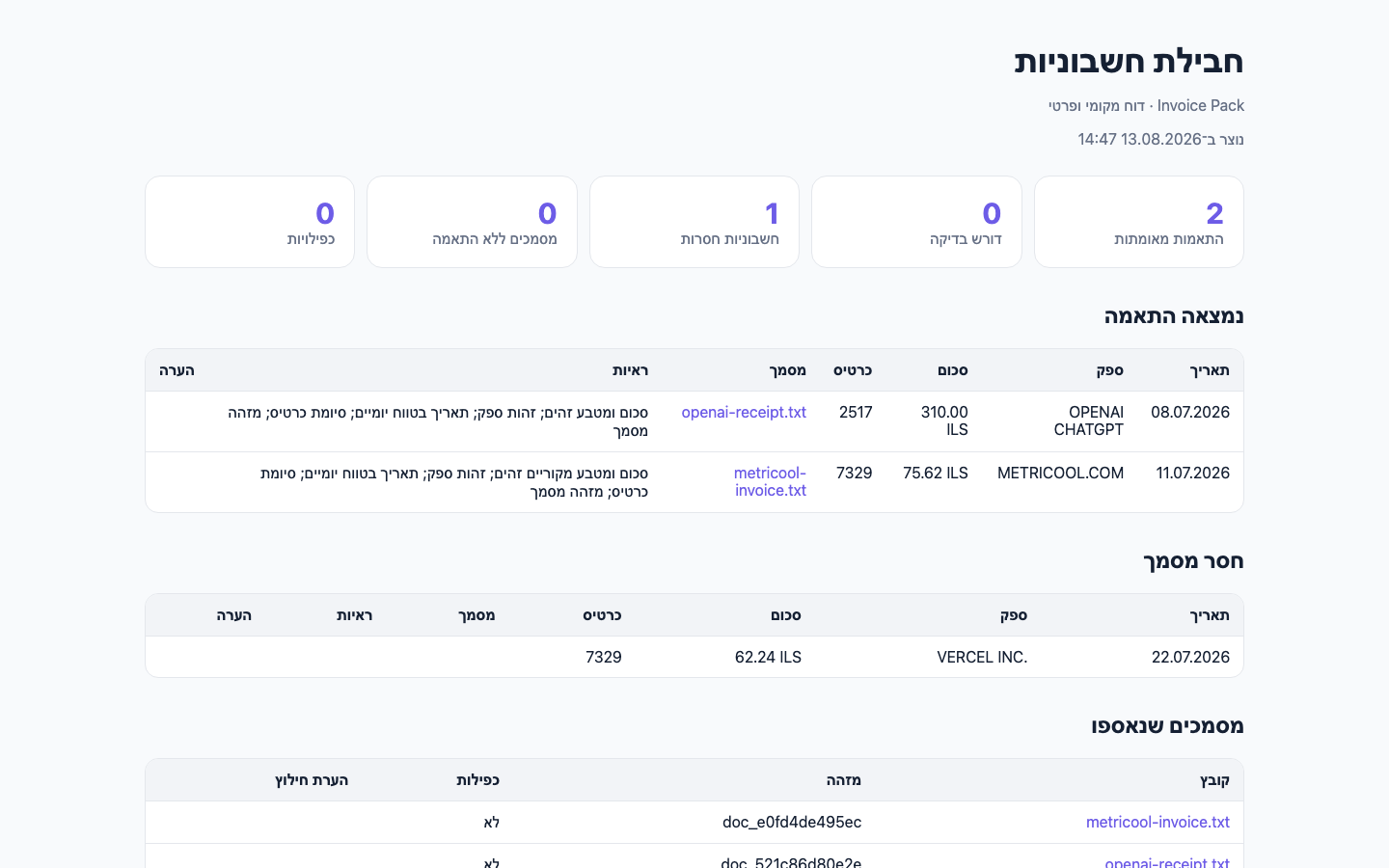
Invoice Pack searches for invoices and receipts in your connected email accounts, reads Israeli credit card statements, and produces a local folder that shows what it found, what needs review, and what's still missing.
Every screen in this guide was generated from synthetic data only.
There is no real email, invoice, credit card statement, or transaction here.
1. What Invoice Pack does
- Searches for invoices and receipts across every connected Gmail account, with read-only access.
- Reads common XLSX and CSV files from Max, Isracard, Cal, and Leumi.
- Compares amount, currency, vendor, date, and card suffix.
- Removes exact duplicates and creates a local folder with a report in Hebrew.
2. What it doesn't do
- Doesn't upload invoices to any external service.
- Doesn't auto-match a document when there's doubt.
- Doesn't send images to an automatic OCR service. An image with no text layer goes to manual review.
- Doesn't claim the collection is complete when no credit card statement was provided.
- Doesn't replace an accountant's review and doesn't give tax advice.
3. What you need before you start
- Codex or Claude Code.
- Python 3. The script itself uses only the standard library.
- An existing Gmail connection for the agent, with read access.
- Credit card statement files, if you want to check completeness and not just collect documents.
4. Install from GitHub
Open a terminal in the folder where you want to keep the repo, and download it from GitHub.
git clone https://github.com/dangogit/agent-skills.git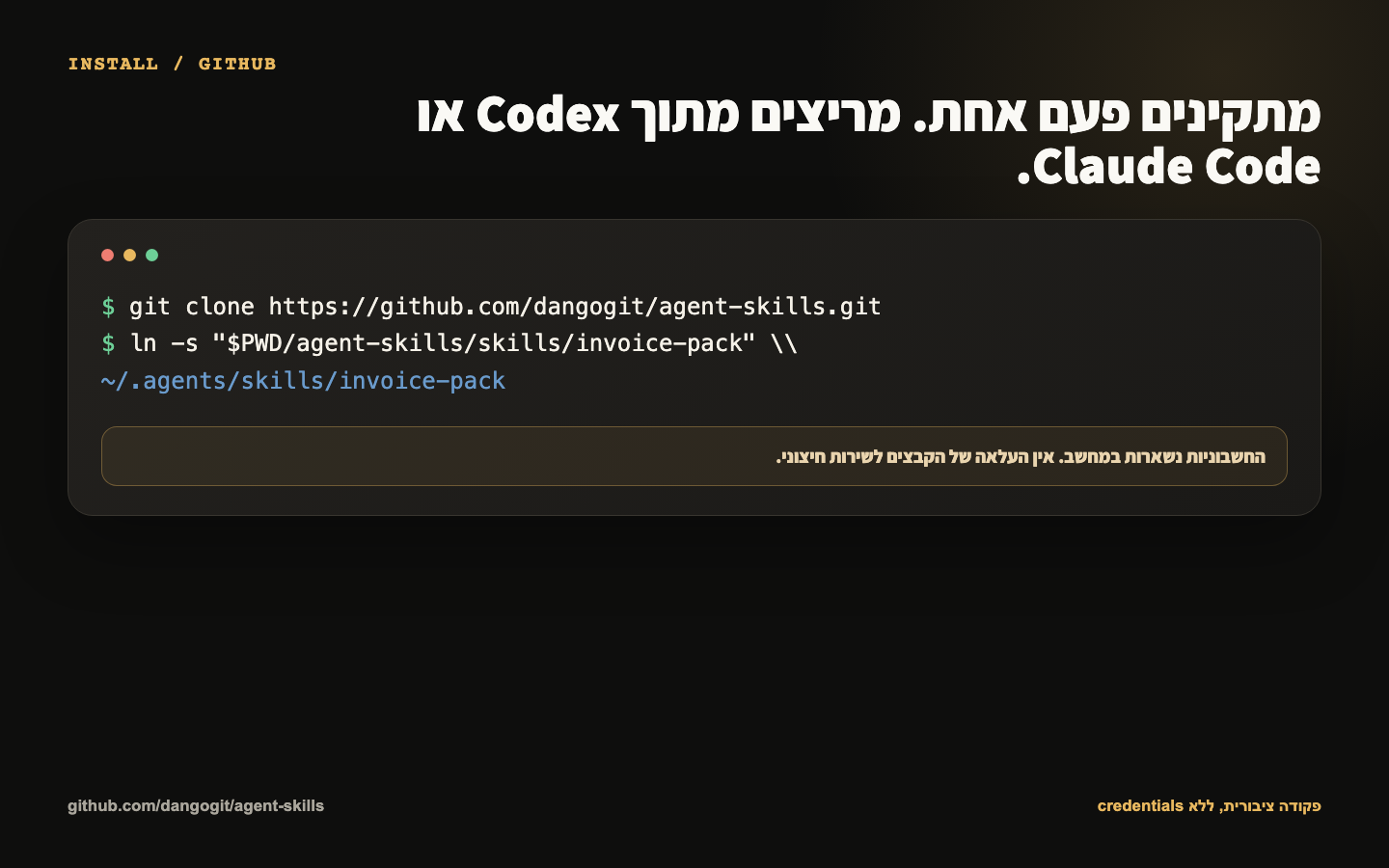
5. Create a symlink for Codex or Claude Code
Pick the agent you use. You can create both symlinks if you work with both.
Codex
cd agent-skills
mkdir -p ~/.codex/skills
ln -s "$(pwd)/skills/invoice-pack" ~/.codex/skills/invoice-pack
Claude Code
cd agent-skills
mkdir -p ~/.claude/skills
ln -s "$(pwd)/skills/invoice-pack" ~/.claude/skills/invoice-pack
Both commands use a symlink, so pulling an update in the repo updates the skill too, with no extra copying.
6. A ready-to-run prompt
Once the skill is installed and Gmail is connected, paste the following prompt and change the month if needed.
Use invoice-pack to collect my invoices from all connected Gmail accounts for July 2026.
Reconcile them against the XLSX or CSV card statements in Downloads.
Keep everything local, do not upload any invoice, and do not auto-match uncertain candidates.
Save the result to a new folder on my Desktop and open report.html when finished.
The agent should search every connected account, save the documents to a local input folder, run the matching, and open the report.
7. Add your XLSX or CSV files
Download your credit card statement and save it under invoice-pack-input/statements. Save the invoices you collected under invoice-pack-input/documents.
python3 skills/invoice-pack/scripts/invoice_pack.py \
  --documents /absolute/path/invoice-pack-input/documents \
  --statements /absolute/path/invoice-pack-input/statements \
  --output /absolute/path/invoice-pack-2026-07
Without --statements you can still collect and organize documents. You can't claim the collection is complete, because there's no list of charges to compare against.
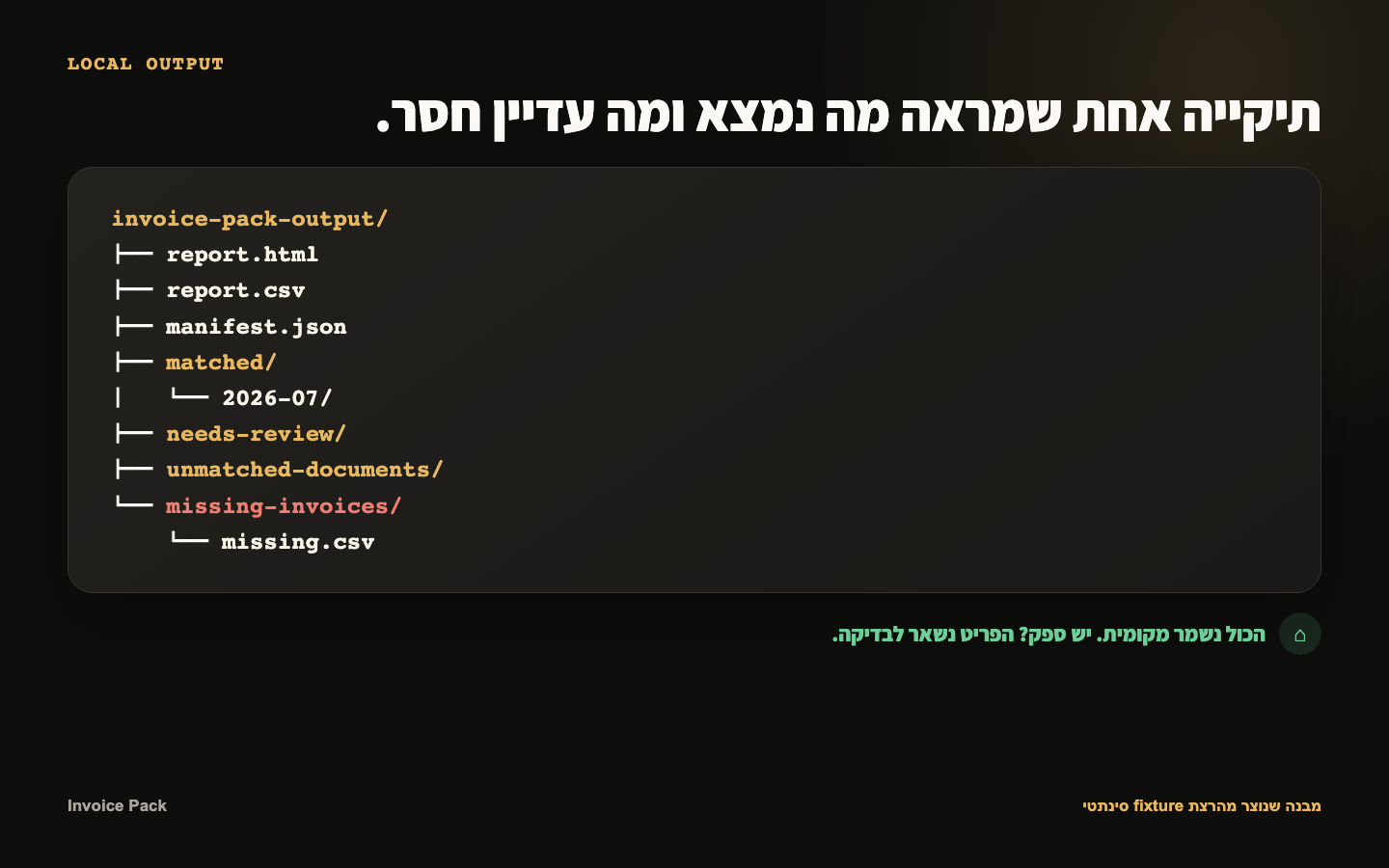
8. Understand the output folder
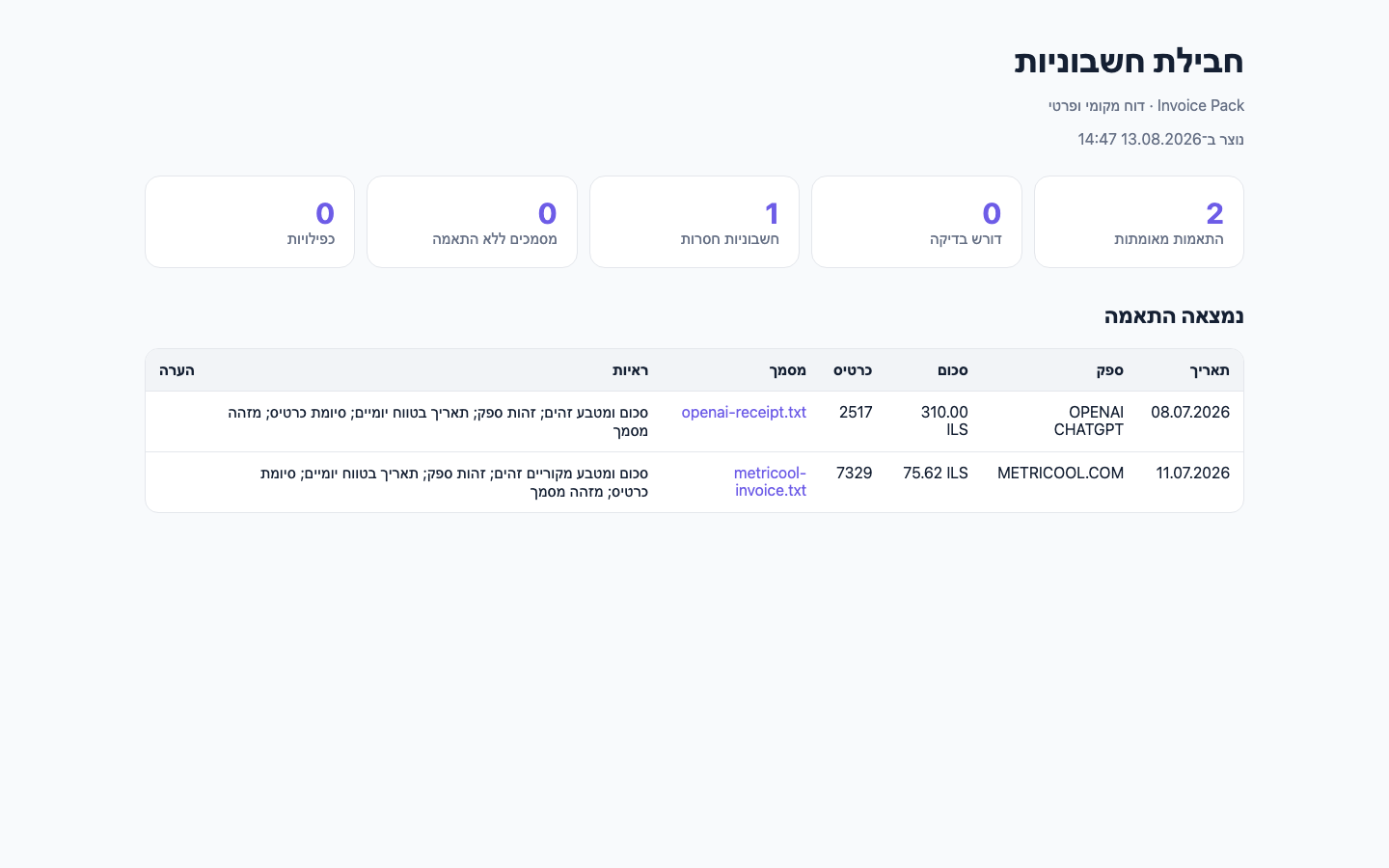
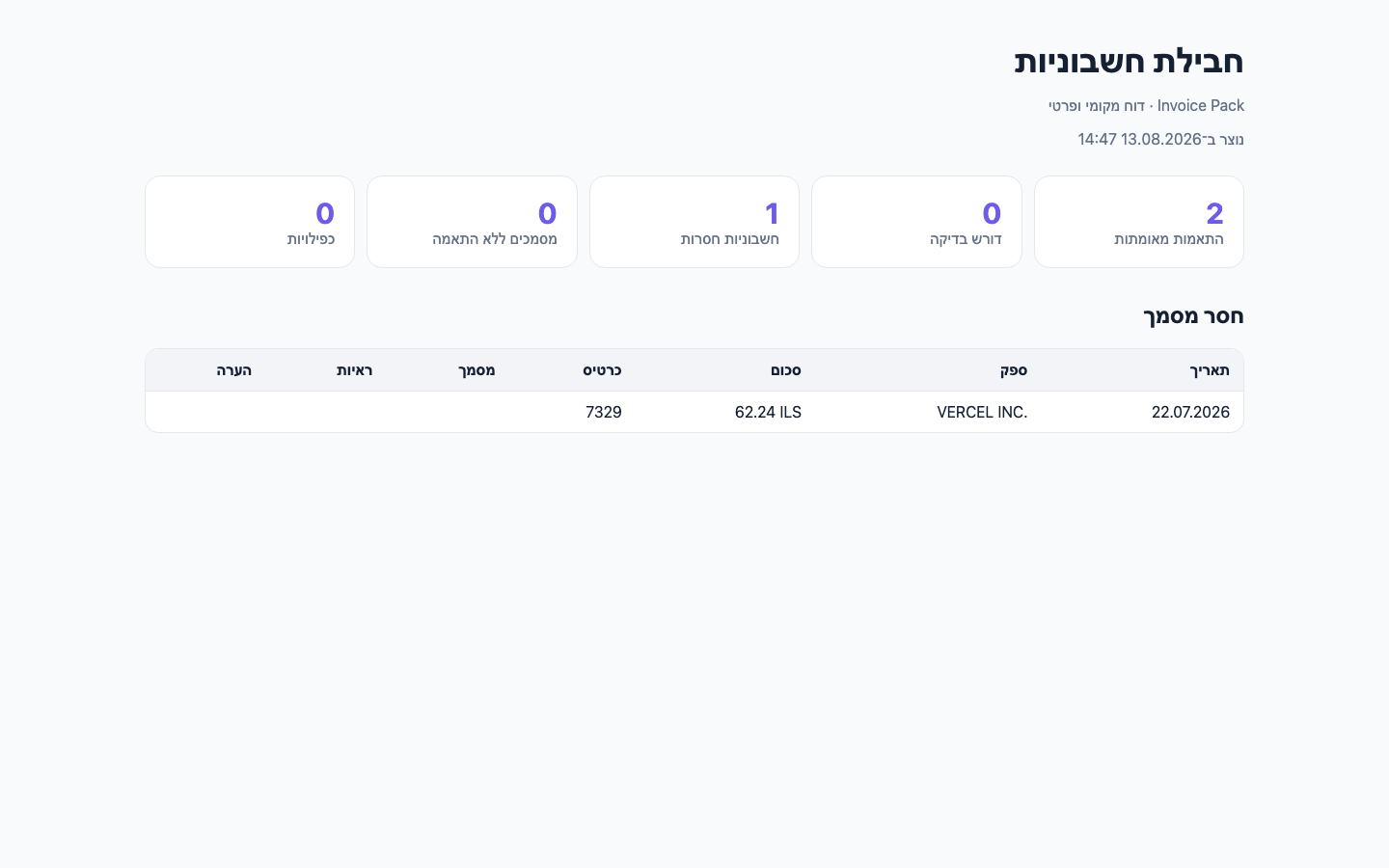
report.html: a local report, in Hebrew, with the summary and every status.matched: documents matched to a transaction with an identical amount and currency, plus supporting evidence.needs-review: candidate matches that aren't certain enough to confirm automatically.missing-invoices: statement transactions with no matching document found.unmatched-documents: documents that were collected but have no matching transaction.
9. Privacy and data security
- Email search is read-only. The skill doesn't change labels, read status, or folders.
- Invoices, statements, and reports stay on your local file system.
- No database, cloud accounting system, or upload to an external service is needed.
- The report doesn't return full invoice text, addresses, tax numbers, or email content to the chat.
10. PDF files and images
PDF files are read with pdftotext when it's installed. Without it, the file is still saved, hashed, and organized, but it may go to manual review.
Images with no text layer aren't sent to OCR automatically. They go into needs-review so you can check them by hand without the document ever leaving your computer.
11. Updating and removing the skill
To update, go into the repo folder and pull the latest version:
cd /path/to/agent-skills
git pull --ff-only
To remove it, delete only the matching symlink. The repo and your output files stay where they are:
rm ~/.codex/skills/invoice-pack
# or
rm ~/.claude/skills/invoice-pack
12. The code and source on GitHub
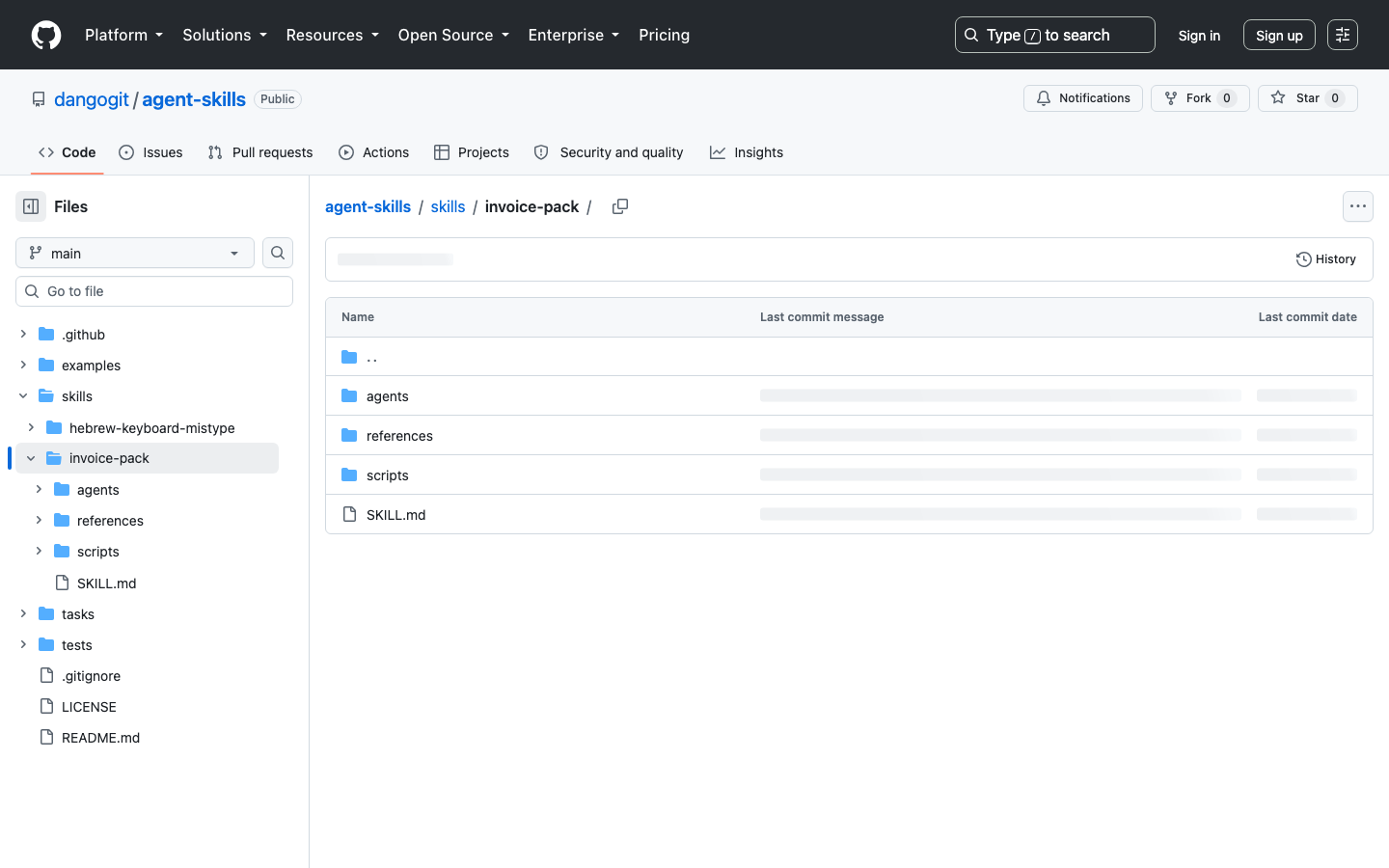
The repo includes the skill, the deterministic script, the docs, the tests, and the synthetic fixture used for the screenshots in this guide.